

Headless HMIs slash costs, simplify installation, and unlock creative display options ranging from handheld tablets to wall-mounted scoreboards.
By Bobby Thornton, AutomationDirect
On a traditional factory floor, operators usually monitor and control equipment using classic panel-mounted touchscreen human-machine interfaces (HMIs). But to meet the demands of a modern facility, designers need technologies to more effectively support workers with mobile tablets, large format displays highlighting key status information, and other innovative remote visualization options.
A headless HMI—that is, an HMI stripped of its built-in screen and instead paired with whatever display best meets the specific application demands—is the best way to deliver flexible visualization anywhere. Users can access the information they need using the appropriate interface, whether they are on the factory floor, in a supervisor’s office, at the break room, or even completely off-site.
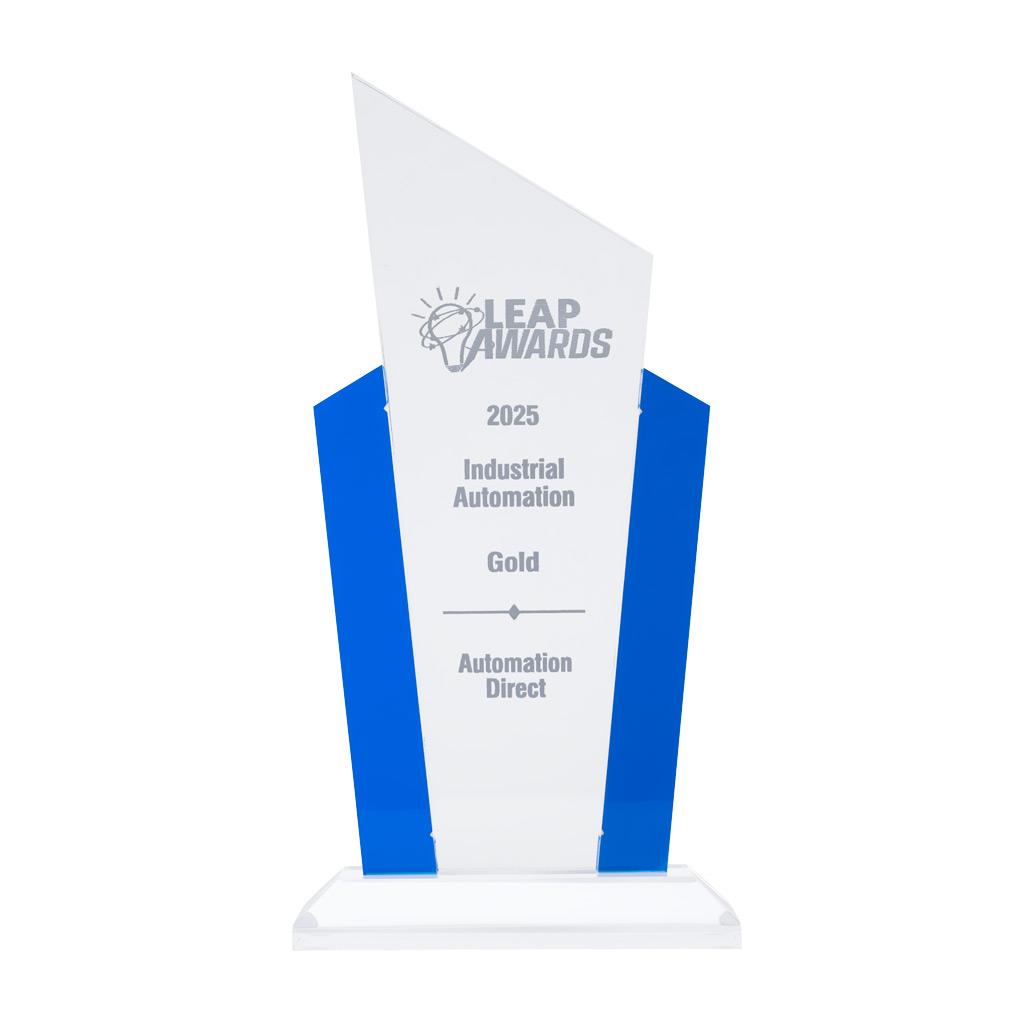
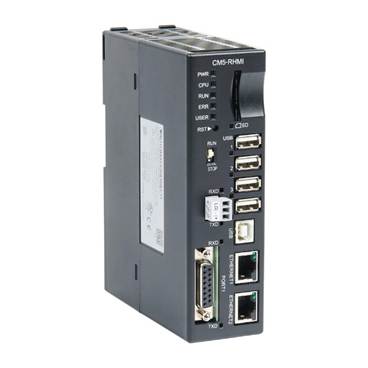
AutomationDirect’s C-more CM5-RHMI (Figure 1) is at the forefront of headless HMIs, winning the 2025 Silver award in Control Engineering’s Product of the Year program, and capturing the Gold Medal in Design World’s 2025 LEAP Awards. These accolades underscore a trend towards headless HMIs for flexible and effective automation. The benefits of these devices include lower costs, easier installation, and greatly increased display options.
Figure 1: The award-winning AutomationDirect CM5-RHMI provides the powerful functionality of the C-more series of HMIs in a compact, cost-effective package.
The Case for Going Headless
Traditional all-in-one HMIs integrate a processor and a touchscreen display with the necessary connectivity, and they are typically installed using a protective enclosure with a cutout making the display portion accessible.
By foregoing the display entirely, headless HMIs achieve a significantly reduced cost and extremely compact footprint, and they can be installed inside control panels without making any cutouts. This reduces installation efforts and avoids concerns about compromising the enclosure’s NEMA rating. The lack of a display also reduces power requirements and heat generation in the enclosure, making headless HMIs easier to incorporate in a wide range of applications.
With a headless HMI, designers can select the best display option independently of the HMI. The display may be an industrial-rated unit located within HDMI cable distance, or perhaps a consumer-grade display of any size. If it ever becomes necessary to upgrade to a larger display, or replace a display (since the display is typically considered the most fragile part), this is possible without taking the HMI offline, minimizing downtime. In addition to basic displays, the CM5-RHMI is compatible with many external touchscreen technologies, and common input devices like keyboards and mice can be easily connected via USB.
Since HDMI carries both video and audio, alarm tones and other notification sounds can be broadcast directly to the display’s speakers, helping ensure that operators are immediately alerted to any issues. HDMI splitters can be used to feed a headless HMI view to multiple screens, and HDMI boosters can send the signal to a display located far from the HMI.
The CM5-RHMI retains all the core features of the standard touch-panel CM5, including:
- A variety of ports (Ethernet, USB, SD, etc.)
- Secure communication protocols
- User access control
- Compatibility with many PLC brands
- Convenient recipe and alarm management
- Historical data logging and trend graphs
In addition, AutomationDirect supplies powerful and intuitive configuration software completely free of cost.
A Wealth of Applications
Some common use cases demonstrate the flexibility of a headless HMI approach.
For example, basic operator workstations in a control room environment could use a standard desktop monitor for routine control. Large TV monitors can be installed throughout a factory or warehouse area, providing an easily-viewed scoreboard with essential information (Figure 2).
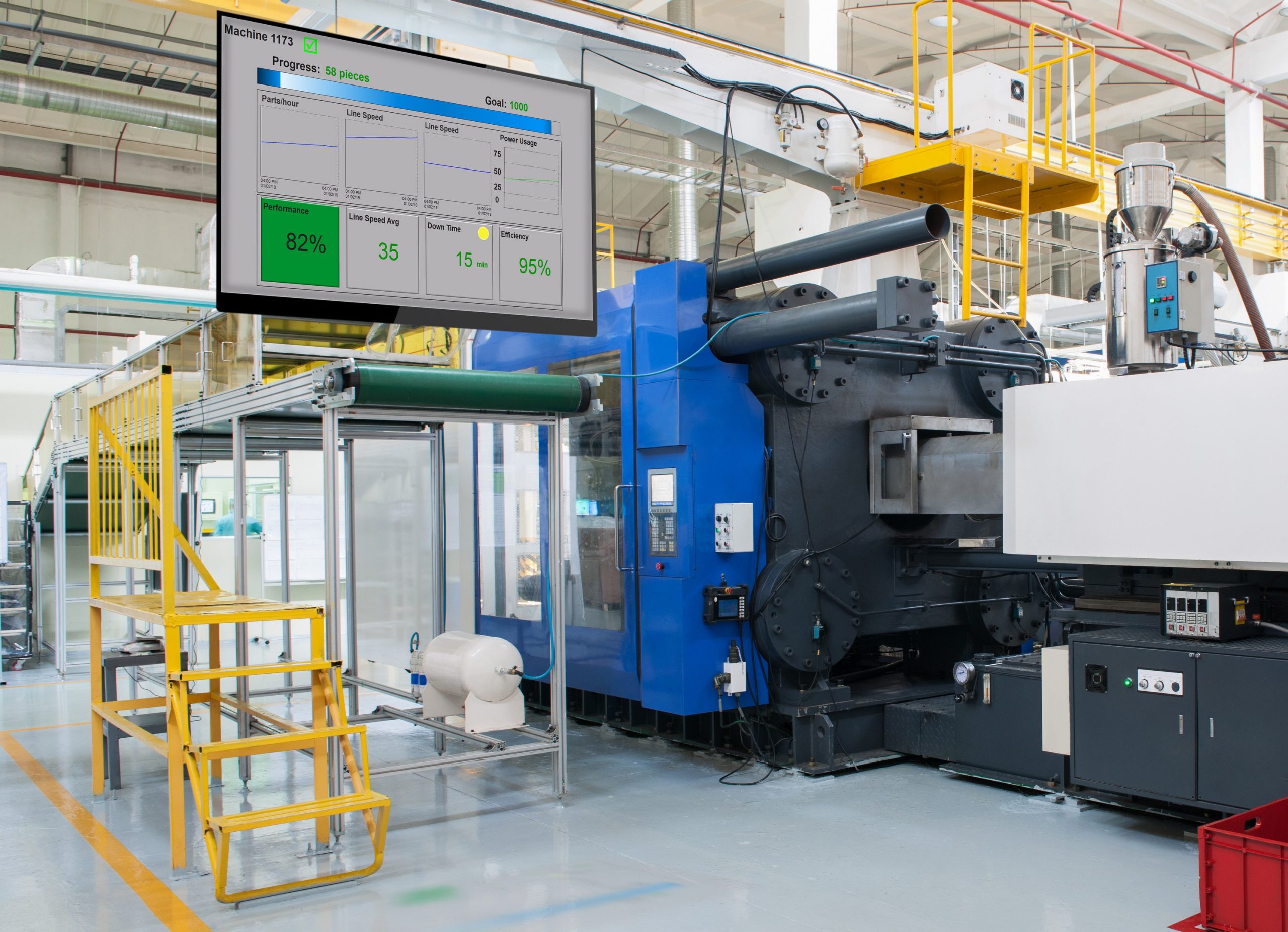
Figure 2: Powered by a headless HMI, large format displays can provide key process information, keeping plant staff informed even at a distance.
If the HMI is in a harsh field environment or outdoor location, it can be connected to a consumer-grade monitor in a nearby climate-protected control room, eliminating the need to pay extra for an industrialized display. Displays placed in front-office areas can deliver real-time factory floor information to the business staff, extending operational awareness throughout the facility.
In some cases, there might be no need for a dedicated display at all. Instead, operators and maintenance personnel can connect remotely to the HMI using a smartphone or tablet through a web browser or dedicated app. A headless HMI is the ideal bridge for these “displayless” deployments. Operators can even use a single mobile device to access multiple headless HMIs.
The Bottom Line
Headless HMIs enable the best of both worlds: the rugged core functionality expected from an industrial HMI, plus the freedom to choose any visual front-end. The result is lower cost, simpler installation, and future-proof display flexibility. With the award-winning CM5-RHMI, there’s never been a better time to go headless.
About the Author

Bobby Thornton is the product engineer for HMI and CLICK PLCs at AutomationDirect, and a graduate of University of South Alabama. His 30+ years’ experience in the industrial automation field include design, installation, and support of process instrumentation, AC Drives and control systems for the pulp and paper, non-woven, and fiber optics industries. He joined AutomationDirect in 2004.